Everything you need to improve
Play Stockfish 19 offline at 10 levels, play a friend on one phone, or go online. Every game is reviewed by Stockfish 19, and the opening is named live as you play.
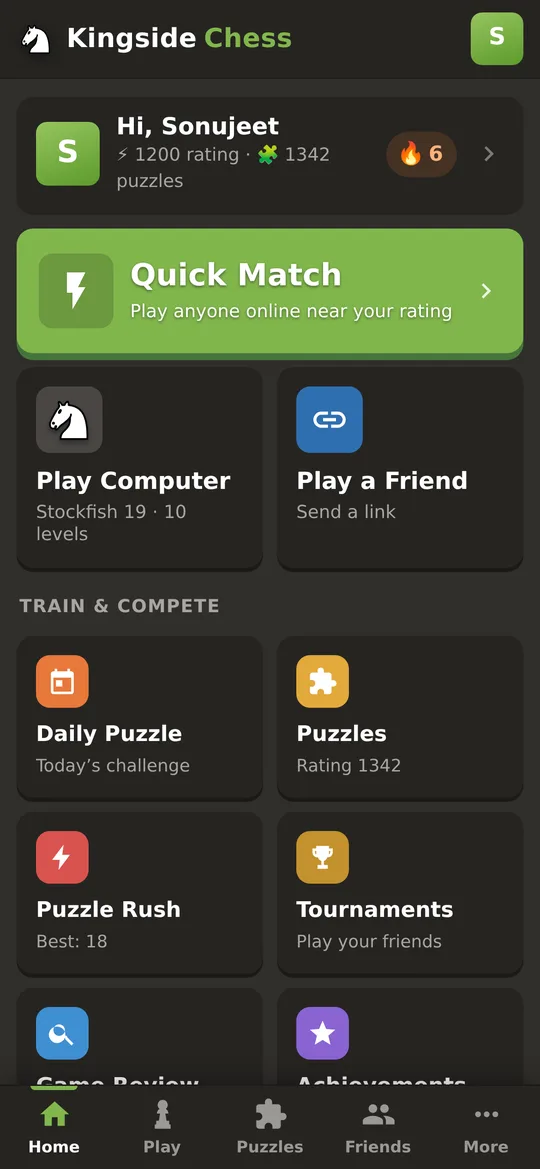
One tap to the game you want.
Quick Match, Play Computer and Play a Friend are right up front, with Daily Puzzle, Puzzles, Tournaments and Review below. An unfinished game waits in a Continue card, and a tab bar takes you to Home, Play, Puzzles, Friends and More.
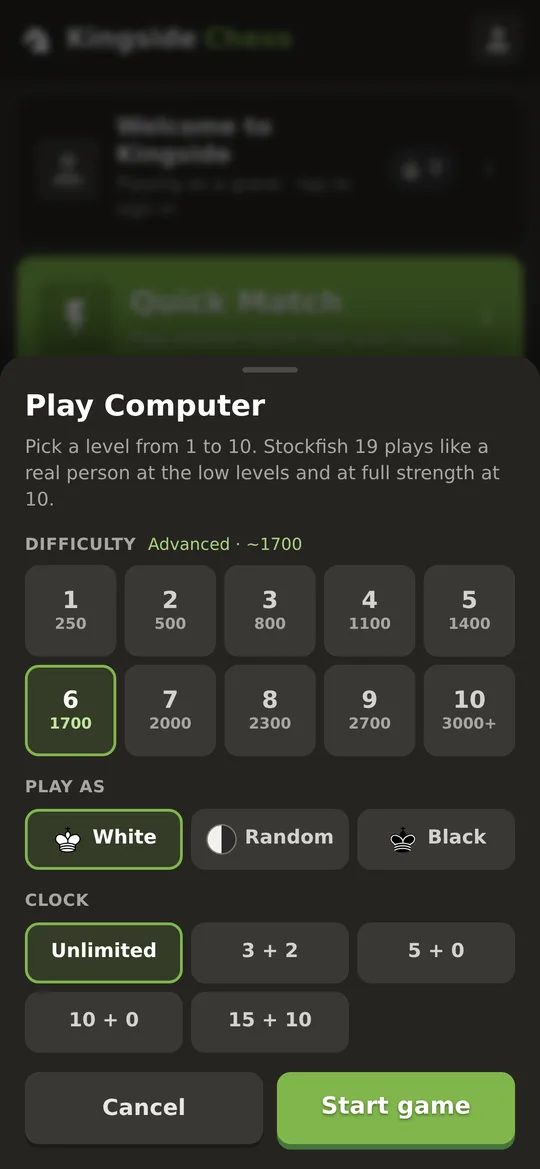
10 levels, from first game to full strength.
Stockfish 19 runs right on your phone, even offline. Pick a level from about 250 to 3000+. The lower levels play like a real person, with natural moves and the odd slip, so you can actually beat them and get better.
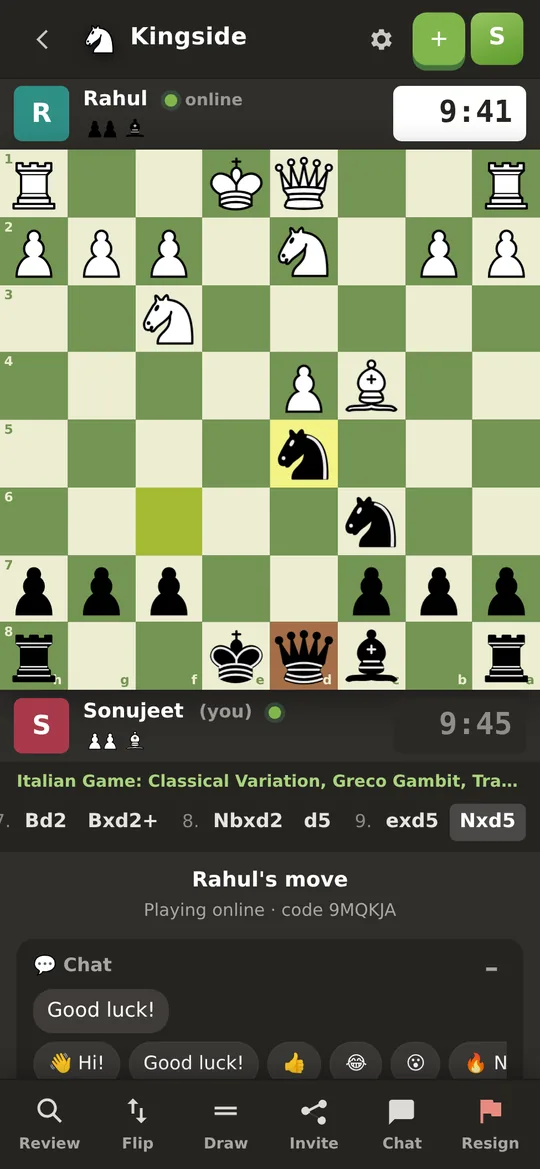
A board that feels like the big apps.
Your opponent sits above the board and you sit below, each with a clock. The board is full width, the last move is highlighted, and dots show where a piece can go. Moves scroll along a strip, and every action is one tap away in the toolbar.
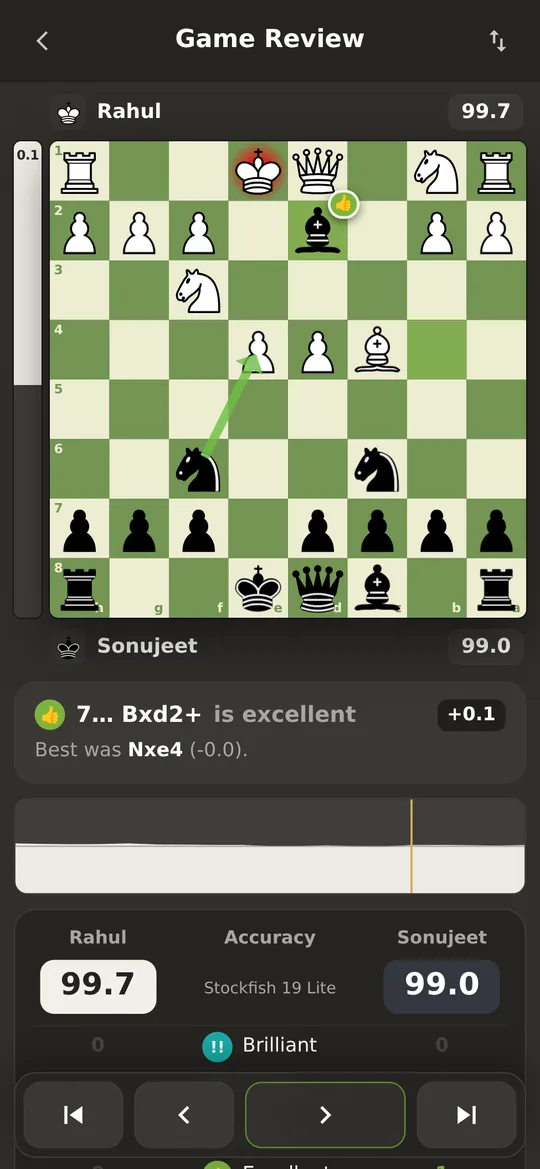
See where the game was won and lost.
Every move gets a verdict: Brilliant, Great, Best, Good, Inaccuracy, Mistake or Blunder. You also get an eval bar, accuracy for both players, the best move drawn as an arrow, and a graph of the whole game. Step through with a swipe.
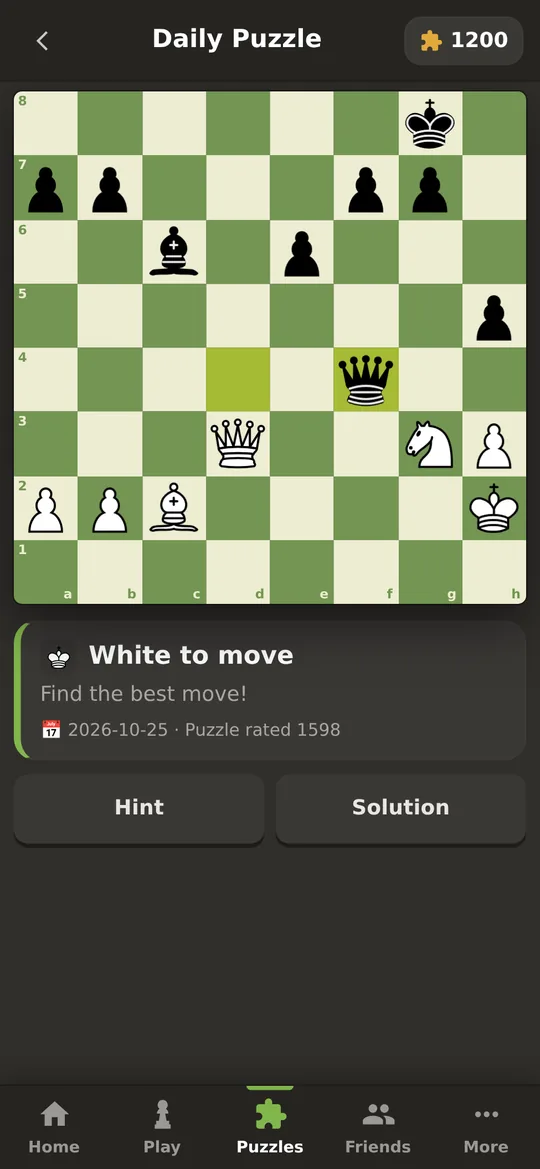
A new puzzle every day, the same for everyone.
Puzzle mode adds 2,700+ real-game puzzles from beginner to master. Your puzzle rating goes up and down as you solve, and you get hints, streaks and a share button for the daily one.
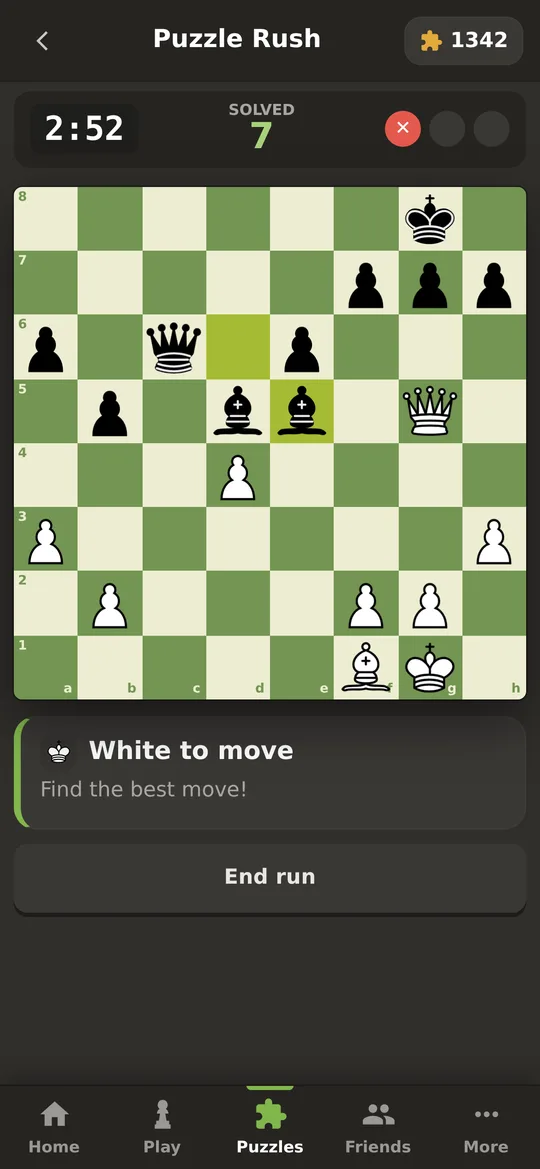
3 minutes. As many puzzles as you can.
The puzzles get harder as you go, and three wrong answers ends the run. Beat your best score and see where you stand on today’s and the all-time leaderboard.
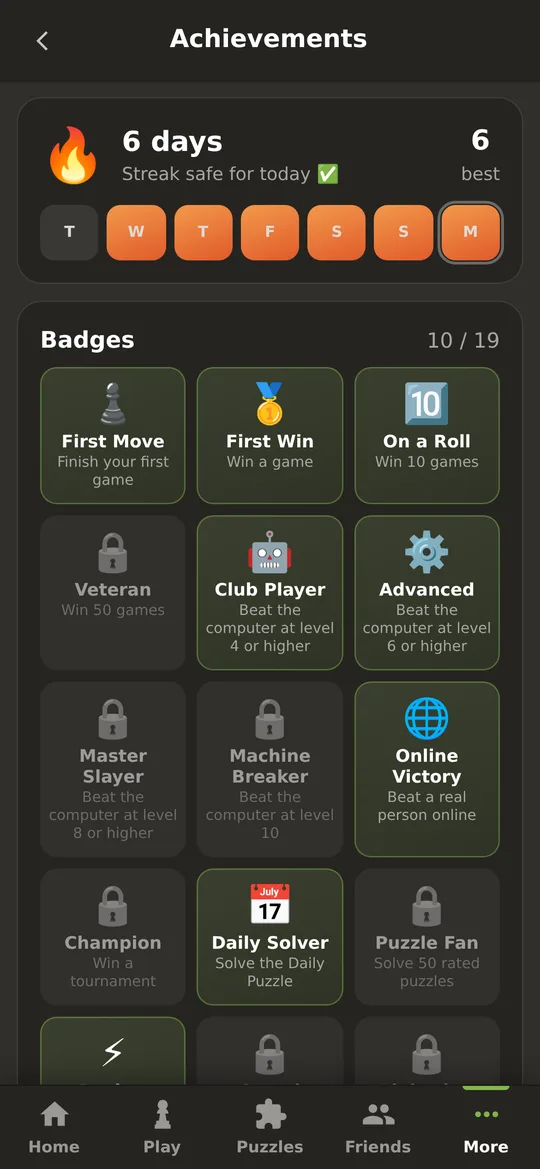
Keep the flame alive.
Play a game or solve the Daily Puzzle to grow your 🔥 streak. Unlock 19 badges along the way: your first win, beating level 8, a 7-day streak, 20+ in Puzzle Rush, winning a tournament, finding a brilliant move and more.
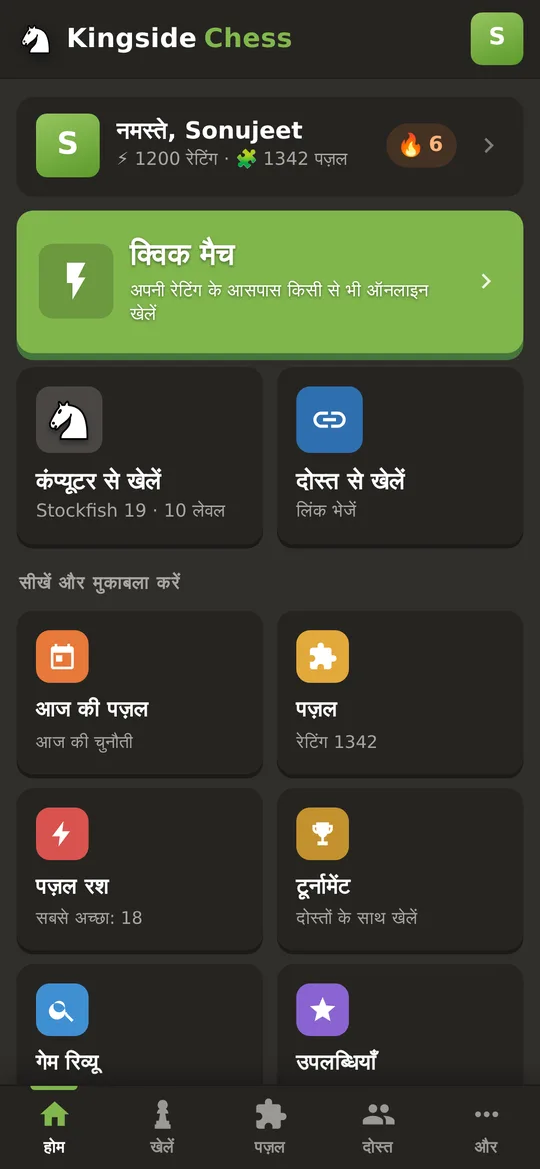
Play in English or Hindi.
Switch the whole app to हिन्दी from More → Language, including Game Review. If your phone is set to Hindi, the app offers it on its own.
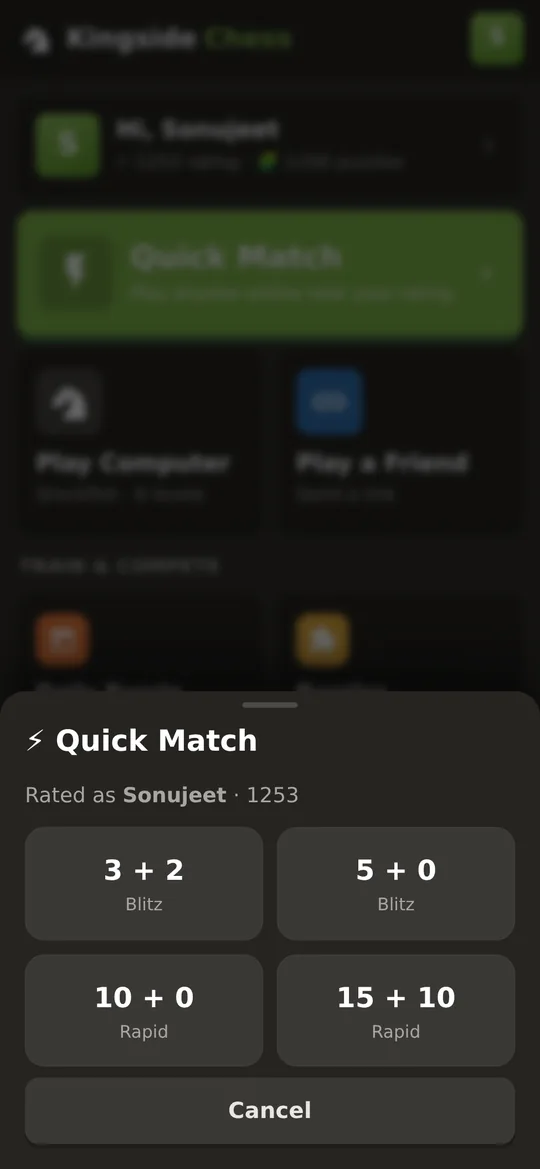
One tap and you’re playing.
Pick a time control and get paired with someone online near your rating. If nobody’s free within 30 seconds, it offers a game against the computer instead.
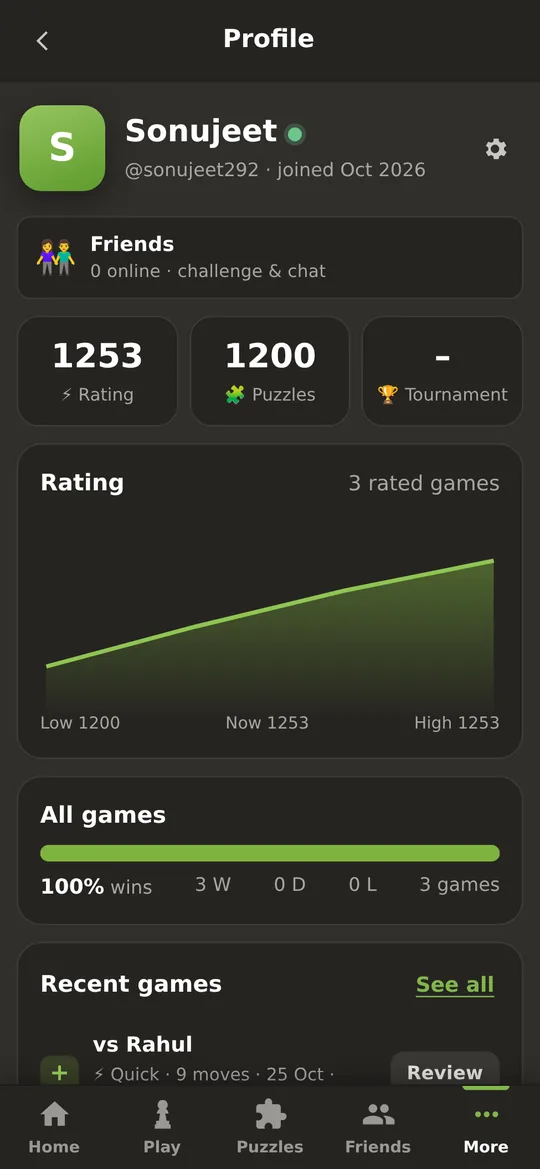
Your chess, saved.
Sign up with just a username and password. No email needed, and recovery codes get you back in. You get a rating graph, win rate and every game you’ve played, each one ready to review.
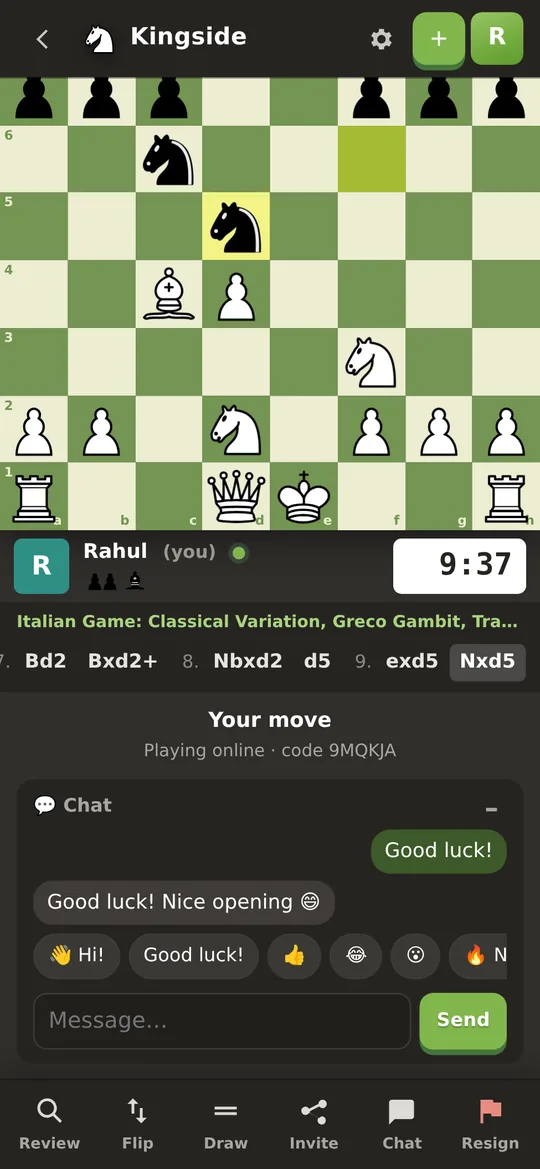
Play the people you know.
Add friends, see who’s online and send a challenge. In the game you can chat with quick buttons like Good luck! 👍 😂 Good game!
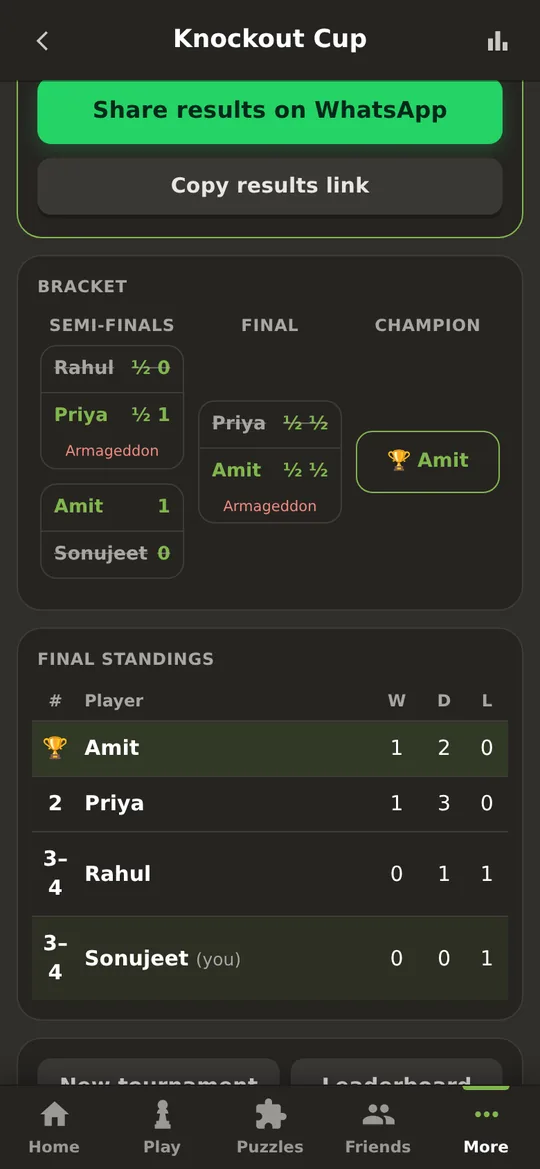
Run a tournament for your group.
Choose round-robin or knockout. Share one WhatsApp link to bring everyone in, then follow live standings and the bracket until a champion is crowned.
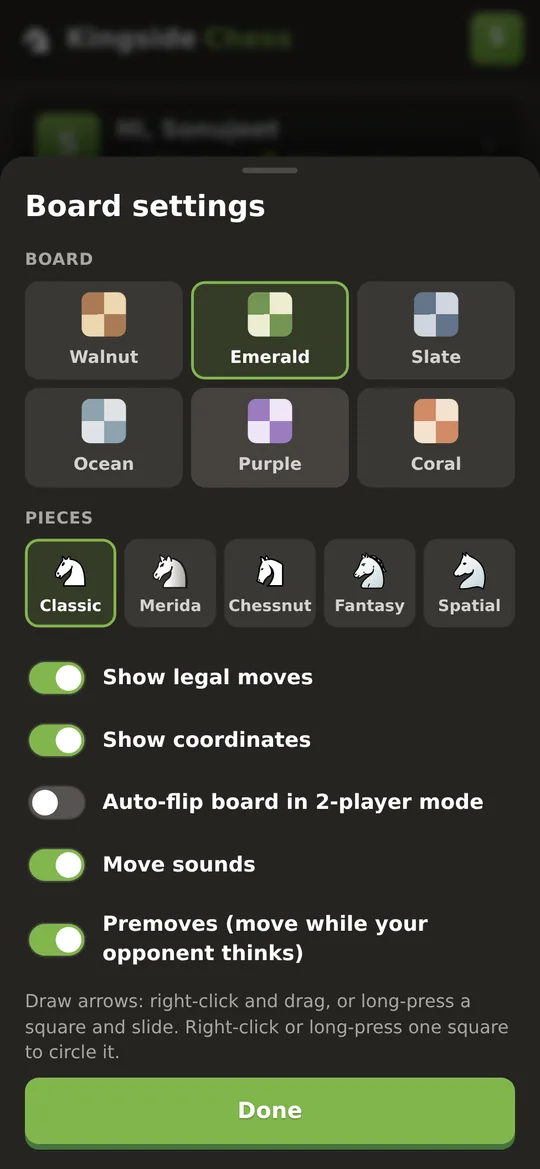
Boards, pieces, premoves, arrows.
Choose from 6 board colours and 5 piece sets. Premove while your opponent thinks, and draw arrows to plan, like the pros do.
What’s new in v1.9: ranks & rating graphs 🏅
Every rated game now moves you up a ladder from Bronze to Grandmaster, and your profile shows how you got there. Install it over your old version and your games, ratings, Crowns and settings stay.
- 📈Rating change after every game: see "+8" in green or "−12" in red as your new rating counts up, and the change is also shown in your game history
- 🏅Rank titles: Bronze, Silver, Gold, Platinum, Diamond, Master and Grandmaster, shown on your profile, the leaderboard and beside the names in a game, with a "Promoted to Gold!" celebration when you climb
- 📊Rating graph: Bullet, Blitz and Rapid tabs, last 30 days, 90 days or all time, with your peak marked
- 🚀Bullet: 1+0 and 2+1 in Quick Match with its own rating. New players show "1500?" until their rating settles (10 rated games)
- ⚡v1.8.3: the Quick Match timer now ticks every second (it used to jump 0:06, 0:13…), and the search keeps running while you explore the app: a bar at the top shows the time, and "Match found!" pops up on any screen with Play now or Decline.
- 🛠️v1.8.2 fixes: the Gold & Onyx and Ruby & Ivory piece sets now show on the game board, your worn avatar shows on the home screen and in your games, locked bots show their Crown price, long names fit, and Back closes menus on the website.
- 🛠️v1.8.1 fixes: every avatar now shows its Crown price in the Shop and can be bought and worn, and the board, piece set, avatar and frame you are using are now clearly marked ✓
Also in v1.8: Crowns 👑, earned free (daily login, streaks, beating bots, rated games, puzzles, lessons) and spent in the Crown Shop on boards, piece sets, frames, avatars and bots. In v1.7: ratings + leaderboards, 8 bot personalities, share your game as a GIF, daily streaks and reminders. In v1.6: Learn, 35 interactive lessons from basics to endgames. In v1.5: a more accurate Game Review using Lichess’s own rules and accuracy formula. In v1.4: Stockfish 19 with 10 levels, Puzzle Rush, streaks, 19 achievements, Hindi and instant chat. In v1.3: the chess.com-style redesign.
Install on Android
Takes about a minute. The app isn’t on the Play Store, so Android will ask you once to allow it.
- Tap Download for Android. If Chrome asks, tap Download anyway.
- Open the file from the notification, or from Files → Downloads.
- If you see “installs from this source aren’t allowed”, tap Settings, turn on Allow from this source, then go back.
- Tap Install, then Open. Done!
Google Play Protect may say the app is unknown, because it isn’t from the Play Store. Tap More details → Install anyway. If it offers to scan the app, you can let it. Every version is signed with the same key, so updates install over the top.
Install on Windows
A real Windows app with its own window, Start menu entry and desktop shortcut. Windows 10 or 11, 64-bit.
- Click Download for Windows (109 MB).
- Open KingsideChess-Setup.exe from your Downloads.
- If a blue “Windows protected your PC” box appears, click More info, then Run anyway.
- Click Next and Install. Kingside Chess opens when it’s done, and it’s on your desktop and in the Start menu.
Windows SmartScreen shows this for apps that aren’t from the Microsoft Store and don’t have a paid code-signing certificate. Click More info → Run anyway. The app plays the computer offline, and online games, friends and tournaments are shared with Android and browser players.
Prefer not to install anything? Open the web version in Chrome or Edge and click the install icon at the right of the address bar. It opens in its own window like an app.
Questions
Short answers.
Is it really free?
Yes. There are no ads, no subscriptions and no in-app purchases.
Does it work offline?
Yes. Playing the computer, playing a friend on the same device and Game Review work with no internet in the Android and Windows apps, because the engine runs on your device. Online games, Quick Match, friends and tournaments need a connection.
Is there a PC version?
Yes, for Windows 10 and 11. Click Download for Windows and follow these steps. On a Mac or Linux, or if you’d rather not install, use the web version; in Chrome or Edge you can install it from the address bar.
Is there an iPhone app?
Not yet. Open the web version in Safari and tap Share → Add to Home Screen. It works like an app, and online games are shared with Android players.
Do I need an account?
No. You can play everything as a guest. An account (just a username and password, no email) keeps your rating, puzzle progress and game history, and lets you add friends.
I forgot my password.
When you sign up you get 6 one-time recovery codes. On the sign-in screen, tap “Forgot password” and enter one to set a new password. Keep the codes somewhere safe.
How strong is the computer?
It has 10 levels, from Beginner (about 250 rating) to Maximum (3000+), which is full-strength Stockfish 19 and stronger than any human. Levels 1 to 5 play like real people, with natural moves and the occasional mistake, so they’re great for learning.
How do I update?
Download the new version from this page and install it over the old one. Your games and settings stay.
Privacy
There are no ads, no trackers and no analytics. Guest games stay on your phone. If you make an account, the server stores your username, a securely hashed password, your ratings, your games and your friends list. We never ask for your email or phone number. Chat messages are kept with their game. You can delete your account and everything in it at any time from Profile → Settings.
Ready to play?
Free on Android, Windows and in your browser.